
Behind Delta Board
In this post, we will jump right into the technical details behind Delta Board. If you have not read the introduction, I recommend starting there first and coming back once you have the context.
Feature Set
In the rest of this post, “participants” refers to people using the board, while “clients” refers to their browser instances.
By now you know that Delta Board is a lightweight retrospective tool. Here are the initial features I defined:
- A board is just a URL that can be shared (anyone can create one). Board IDs use a human-readable
adjective-noun-hashformat (e.g.sleepy-penguin-a3f9) with enough unique combinations to make collisions extremely unlikely. - A board has two states: forming and reviewing
- While forming
- Anyone can add cards to the board (in one of the two columns: what went well, what didn’t go so well)
- Anyone can vote on cards they did not write themselves (this is how we deduplicate as much as possible)
- When someone is done adding cards, they can mark themselves as “ready”
- When enough participants are in “ready” state, anyone can move the board to reviewing
- While reviewing
- The board is in read-only mode (cards or votes cannot be created, edited, or removed)
- The board can be exported as a markdown document
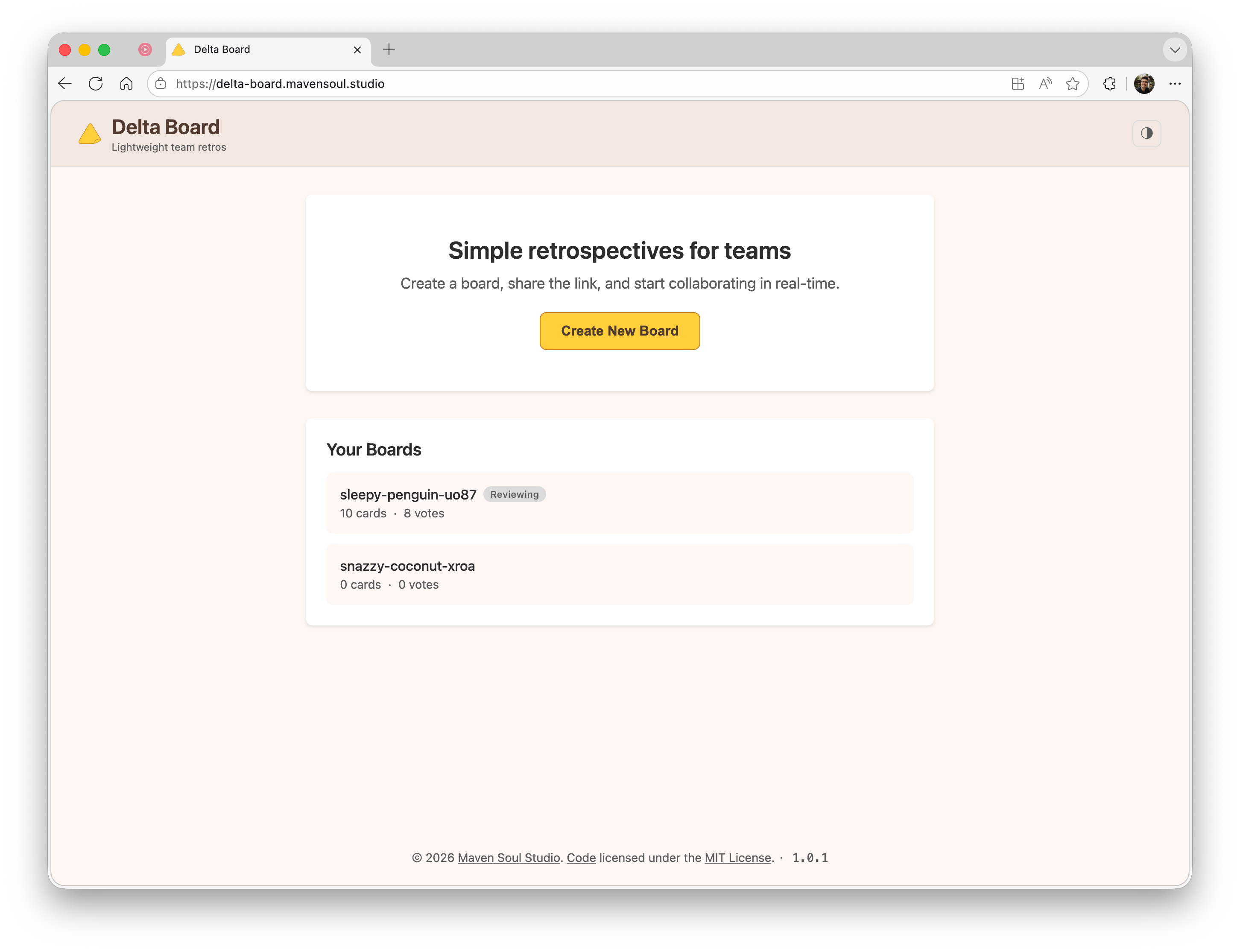
Board selection
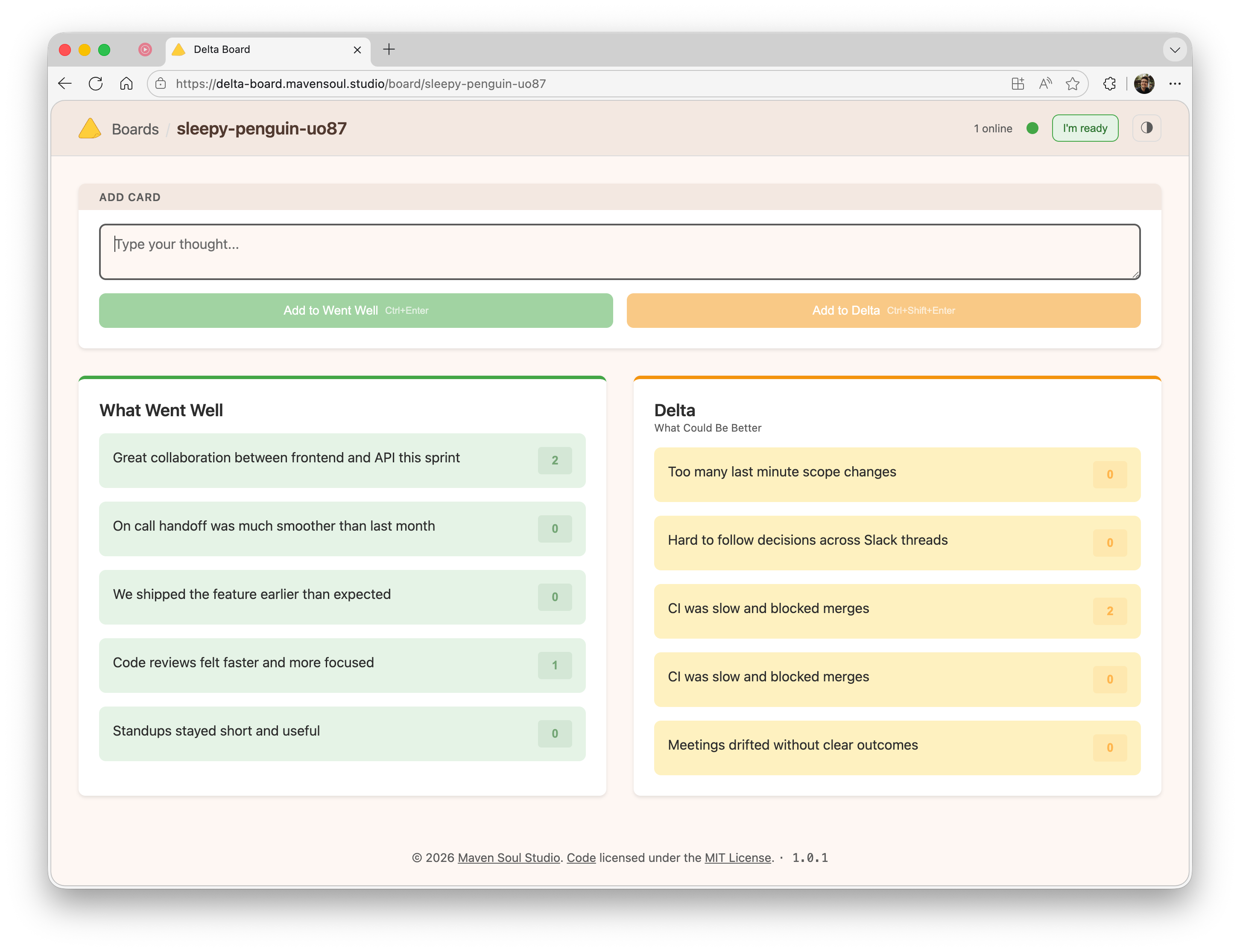
Board forming
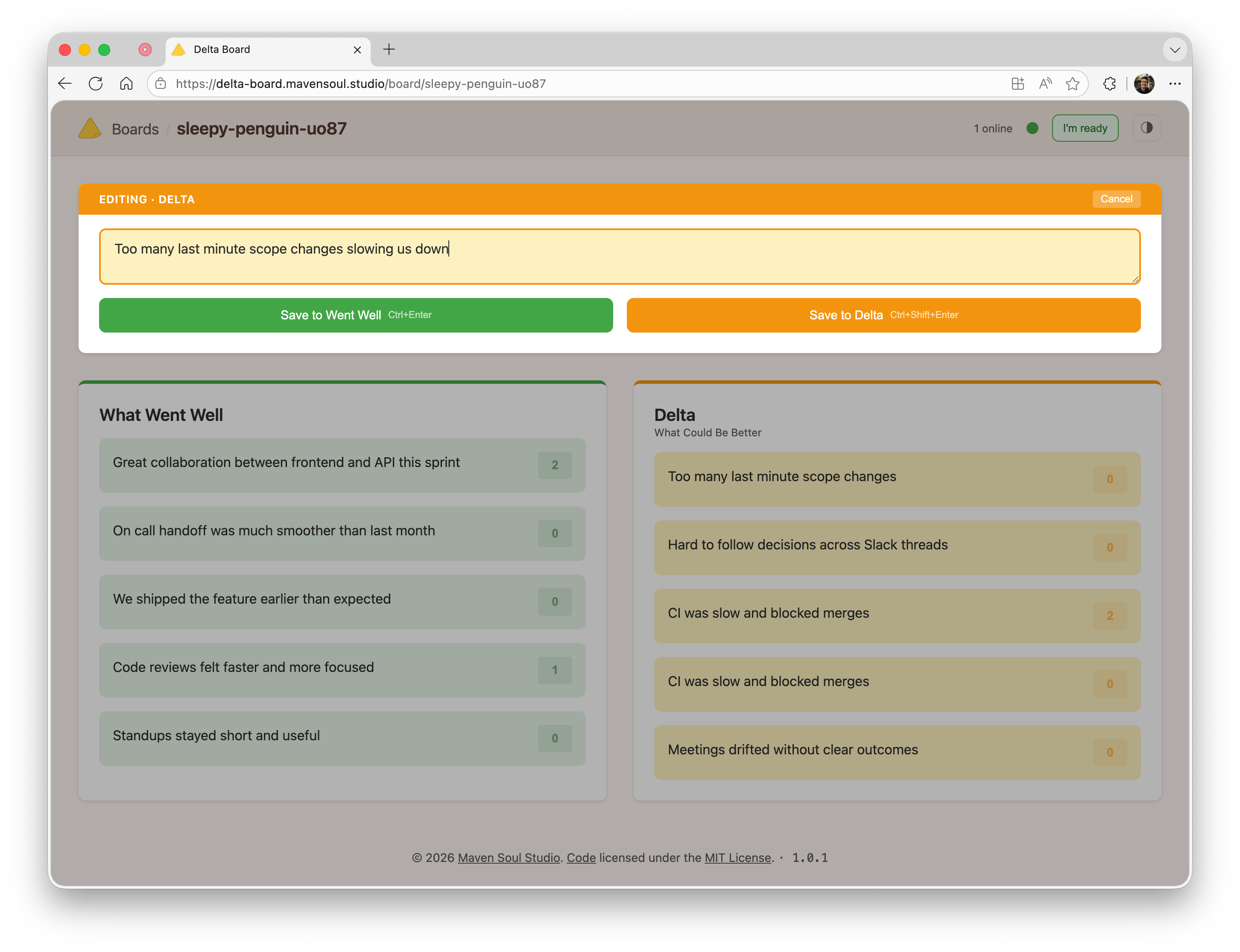
Board forming and editing
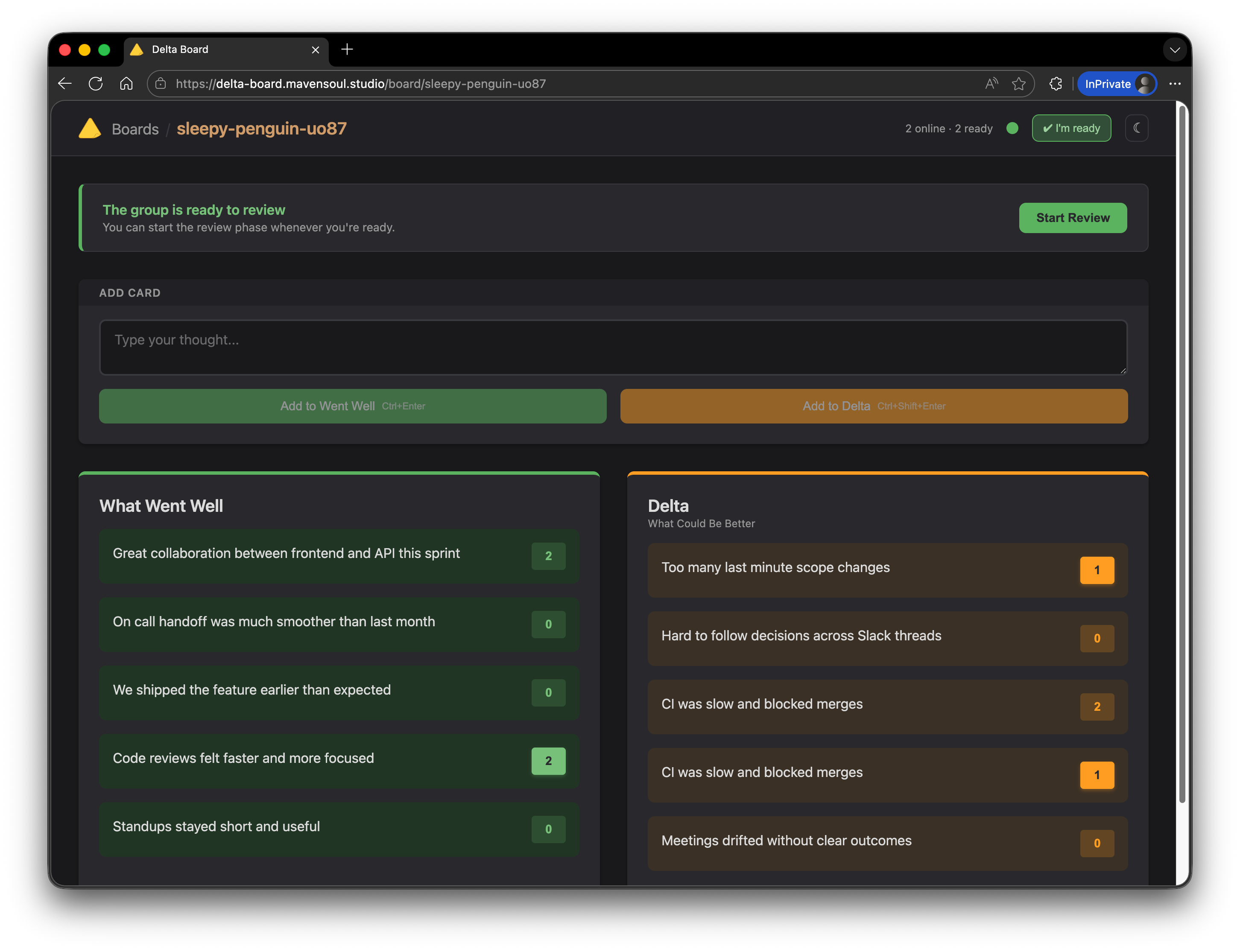
Board ready for review
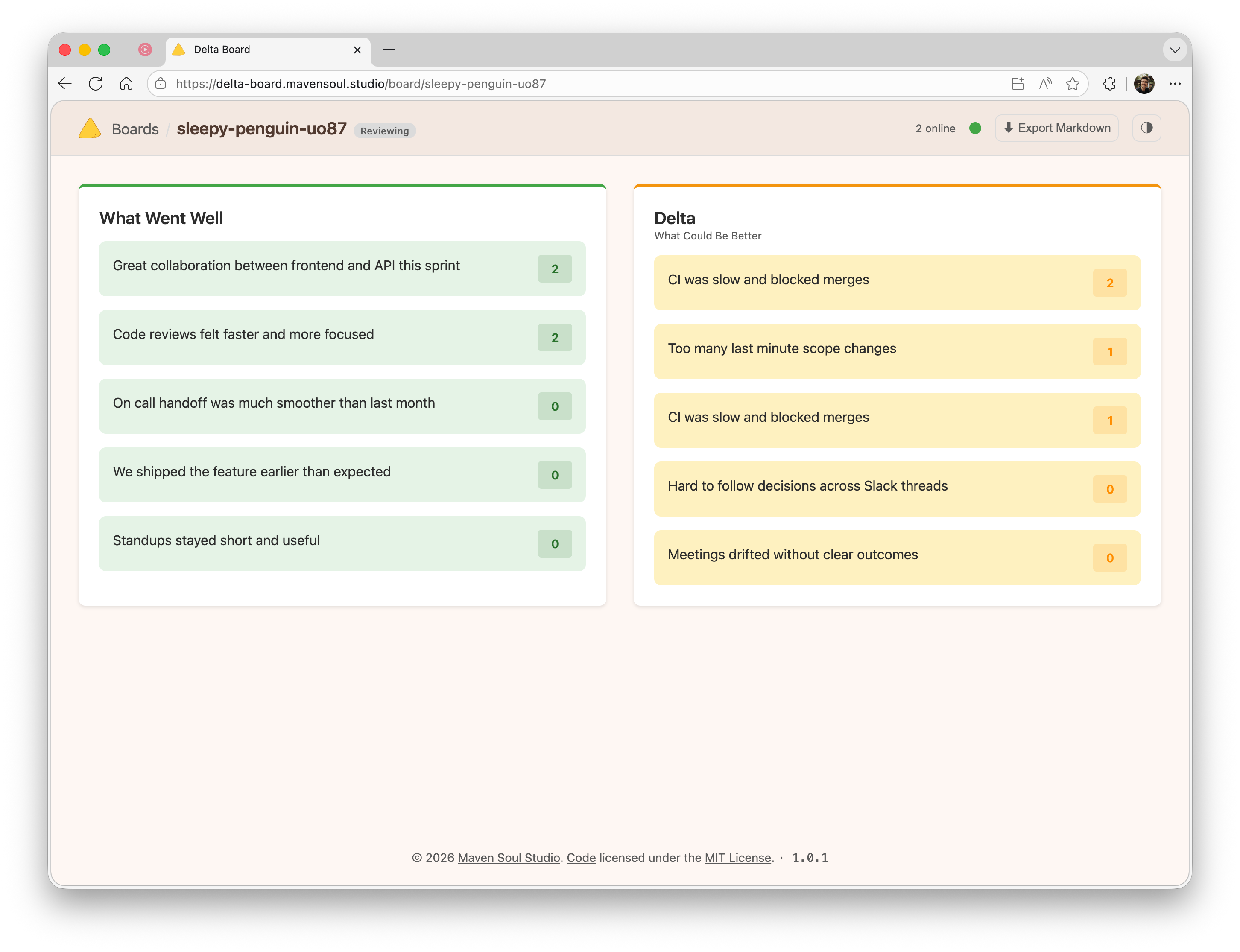
Board reviewing
While Delta Board will certainly do more in the future (e.g. tracking action items while reviewing), this is intentionally small but complete for its purpose.
Philosophy
I like to ground new projects in a philosophy, which is really a list of tenets. They set limits and help keep scope manageable, especially for personal projects where time is at a premium.
For Delta Board my tenets were a mix of values and technical constraints:
- Lightweight: minimal dependencies, fast loading, simple architecture
- Minimalist: two-column retrospectives
- Single Purpose: we do retrospectives, nothing more
- Privacy Aware: the server does not hold persistent or authoritative state
The most interesting tenet here is the privacy one. Deciding that the server will not store any persistent or authoritative state is a strong constraint, and it effectively turns Delta Board into a small distributed system.
Do We Need a Server?
I asked myself the question. Wouldn’t it be cool if Delta Board was just a static site we could host on GitHub Pages or any other static hosting solution out there?
If we could truly establish peer-to-peer connections between clients, yes. In reality this is not directly possible over the Internet. My team is distributed over North America and we work from home, which means home Internet connections rather than a unified corporate network.
WebSockets are more than enough to enable real-time collaboration for Delta Board, but I still need a server to act as a broker: discovering connected clients and brokering messages between them.
This remains within the original philosophy. With this in mind, we can move on to the next technical challenge: defining the communication protocol between clients.
At a high level, the architecture looks like this:
flowchart LR
  %% Delta Board architecture: clients hold state, server is only a broker

  subgraph Clients[Browser Clients]
    direction TB

    subgraph C1[Client A]
      direction TB
      UI1[Delta Board UI]
      LS1[(localStorage<br/>board state)]
      UI1 <--> LS1
    end

    subgraph C2[Client B]
      direction TB
      UI2[Delta Board UI]
      LS2[(localStorage<br/>board state)]
      UI2 <--> LS2
    end

    subgraph C3[Client C]
      direction TB
      UI3[Delta Board UI]
      LS3[(localStorage<br/>board state)]
      UI3 <--> LS3
    end
  end

  subgraph Broker[ASP.NET Core]
    direction TB
    WS[WebSocket broker<br/>transient state only]
  end

  C1 <--> WS
  C2 <--> WS
  C3 <--> WS

  %% Optional callouts
  WS -. relays .-> C1
  WS -. relays .-> C2
  WS -. relays .-> C3
Tech Stack
For the server, I chose C# with .NET 10 and ASP.NET Core. The server uses raw WebSocket middleware deliberately, not SignalR, to keep the protocol explicit and the abstraction layer thin. The entire server logic fits in roughly 400 lines of code across two files: one for application setup and routing, and one for the WebSocket hub that manages connections and message brokering.
For the client, I went with vanilla JavaScript using ES6 modules. No React, no Vue, no bundler, and no npm dependencies. The entire client ships as static files served by the same ASP.NET Core application: a single index.html with JavaScript modules loaded directly via <script type="module">. This aligns with the lightweight tenet and results in a zero build-step workflow.
The application is packaged as a self-contained, multi-arch Alpine-based Docker image and deployed to Azure Container Apps.
Protocol
At this point, it should be clear that we are building a small distributed system. There are a few realities we need to accommodate:
- Clients may get disconnected (network partitions)
- Messages may arrive out of order or get lost
Our goal is to keep the system eventually convergent, which is more than sufficient for a retrospective. Given the limited feature set, we also do not need complex conflict resolution mechanisms such as CRDTs. Only the author of a card can edit it, and votes are individual.
In addition to acting as a WebSocket broker, the server maintains transient presence state: which clients are currently connected and whether they are marked as ready. All board data itself is managed entirely by the clients through message passing.
Here are the messages defined by the protocol (full details are available in the specification):
| Type | Direction | Description |
|---|---|---|
hello |
Client → Server | Initial handshake, includes clientId |
welcome |
Server → Client | Returns participant count, then initiates sync |
participantsUpdate |
Server → Clients | Broadcast when presence or readiness changes |
setReady |
Client → Server | Participant updates readiness state |
phaseChanged |
Client → Clients (via Server) | Broadcast phase transition to reviewing |
syncState |
Client → Client (via Server) | Send full board state to a new client |
cardOp |
Client → Clients (via Server) | Card operation (create, edit, or delete) |
vote |
Client → Clients (via Server) | Vote operation (add or remove) |
ping |
Client → Server | Heartbeat to indicate client is alive |
pong |
Server → Client | Acknowledges heartbeat |
error |
Server → Client | Indicates an operation was rejected |
The last three messages are secondary. The others form the core of Delta Board.
Connection Flow
Because the server holds no authoritative board state, a newly connected client must retrieve the current board state from its peers.
sequenceDiagram
    participant C as New Client
    participant S as Server
    participant A as Client A
    participant B as Client B

    C->>S: Connect to /ws/{boardId}
    C->>S: hello { clientId }
    S->>C: welcome { participantsCount, readyCount }

    S->>A: participantsUpdate { syncForClientId: C }
    S->>B: participantsUpdate { syncForClientId: C }

    A->>S: syncState (to C)
    B->>S: syncState (to C)
    S->>C: syncState from A and B
The new client collects incoming syncState messages for a short window and merges them into a single coherent state.
Operation Broadcast
Once connected, incremental changes are propagated via simple broadcast. Two operations mutate the board: cardOp and vote.
sequenceDiagram
    participant A as Client A
    participant S as Server
    participant B as Client B
    participant C as Client C

    A->>S: cardOp { opId }
    S->>B: cardOp
    S->>C: cardOp
State Synchronization
State synchronization is at the heart of Delta Board.
Merge Rules
State is exchanged using full snapshots (syncState) and incremental operations (cardOp, vote). Each operation carries:
- A revision counter (
rev), incremented by the originating client - The client ID of the author
- An
isDeletedflag for deletions
Revisions are scoped to the entity and author. They are not global clocks.
Rather than removing entities, deletions are represented as tombstones. This prevents deleted items from reappearing when older state is merged.
The merge rules are deterministic:
- A higher
revvalue wins for the same entity - If
revis equal, the lexicographically smaller client ID wins - If both match, deletion wins
These rules guarantee convergence even when operations are received in different orders. Clients are trusted participants; the protocol prioritizes simplicity over adversarial safety, which is acceptable for a cooperative retrospective tool.
Join Sync Window
When joining, a client buffers incoming syncState messages for two seconds, then merges them in a single pass. This avoids unnecessary intermediate renders and produces a clean initial state.
Gossip Behavior
When applying a syncState message results in a local state change, the client immediately rebroadcasts its updated state as a new syncState. This accelerates convergence and gives the system gossip-like behavior: information spreads organically through connected clients until everyone converges.
This is not a fully decentralized gossip system, but it is sufficient to quickly converge state within a single board session.
Finishing Touches
Phase Transitions
Boards transition from forming to reviewing when at least 60 percent of connected participants, rounded up, are marked ready. Once quorum is reached, any participant may trigger the transition. The transition is monotonic and irreversible.
The current phase is included in all state and operation messages so clients can enforce read-only behavior consistently.
Heartbeats
Heartbeat messages (ping and pong) detect connectivity issues and prevent idle WebSocket termination. Clients inactive for more than 30 seconds are disconnected by the server.
Reconnection
Clients reconnect using exponential backoff, capped at 10 seconds and limited to six attempts. A manual reconnect option is then presented. Browser online events also trigger reconnection.
Offline Mode
Delta Board functions offline as a progressive web app. Since all state is stored locally, clients can continue interacting without a server. Upon reconnection, normal synchronization logic ensures eventual convergence.
Wrap-Up
Delta Board ended up being a small, focused distributed system: clients own the board state, the server only brokers messages, and a handful of deterministic merge rules keep everything convergent. That architecture kept the implementation lightweight while still supporting real-time collaboration, offline use, and simple deployment.
Any future changes will be evaluated against those constraints first, not feature demand.